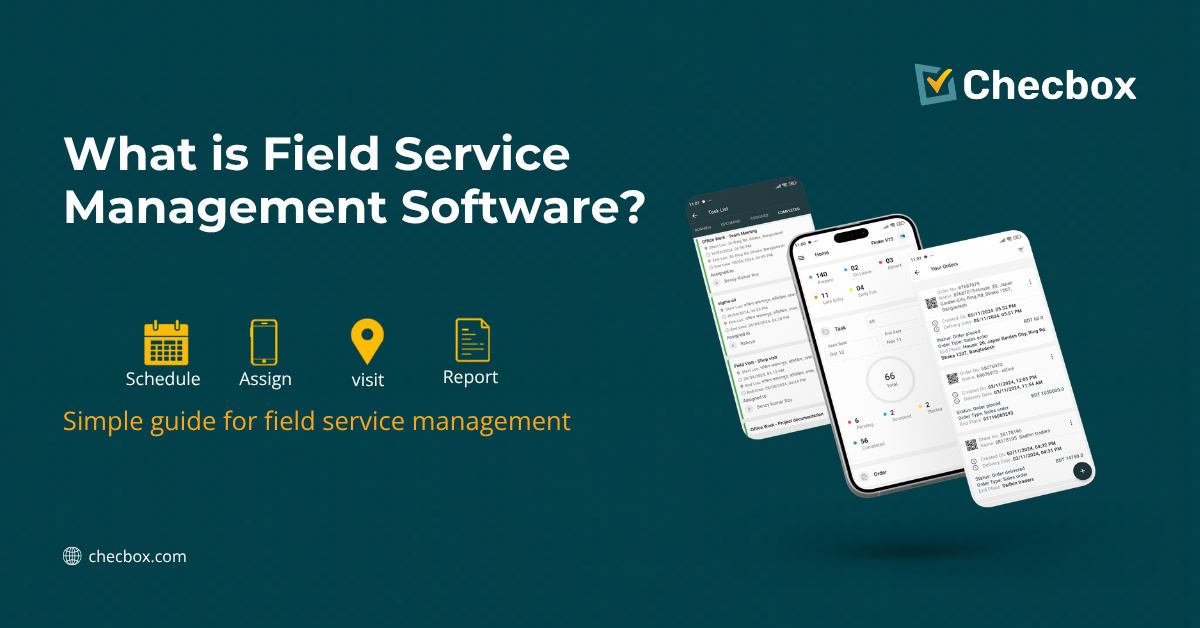
Field service management (FSM) software is a platform that connects the people working in the field with the people managing them from the office. It replaces paper job cards, phone calls, and disconnected spreadsheets with a single system that handles scheduling, tracking, documentation, and billing — from one place.
If your business sends staff to locations outside the office — whether that’s a cleaner at a client’s home, a tradie on a construction site, or a pharmaceutical rep visiting a clinic — FSM software is built for you.
What Does FSM Software Actually Do?
The term sounds technical. It isn’t. Here’s what it handles in practice:
1. Job Scheduling and Dispatch
Managers assign jobs to field staff from a central dashboard. Staff receive the job details on their phone — address, instructions, required forms. No WhatsApp chains, no phone tag.
2. GPS Tracking and Attendance
Field staff check in when they arrive at a job site. The system records their GPS location and timestamp automatically. Managers see exactly where their team is in real time — without calling anyone.
3. Digital Forms and Job Documentation
Checklists, inspection reports, safety forms, delivery confirmations — all completed on the phone. Photos and signatures are captured at the job site. Everything saves instantly to the cloud.
4. Mobile Billing and Invoicing
When a job is completed, the system can automatically generate an invoice and push it directly to your accounting software (like Xero). No manual entry. No billing delays.
5. Reporting and Analytics
Managers get a clear view of job completion rates, staff performance, visit coverage, and operational gaps — without building spreadsheets manually.
Who Uses Field Service Management Software?
FSM software is industry-agnostic. Any business that deploys people outside the office benefits from it. Common users include cleaning companies (proving attendance, documenting job completion, managing multiple sites), trade businesses such as plumbers, electricians, and HVAC technicians managing job cards and invoicing, pharmaceutical MSR teams tracking doctor and pharmacy visits, FMCG and distribution companies managing field reps and van sales, property inspection agencies generating digital reports on-site, security companies verifying patrol coverage, healthcare and NDIS providers creating audit-ready documentation, and agro field reps managing territory coverage in rural areas.
The common thread: people in the field, accountability in the office.
7 Signs Your Business Needs FSM Software
You likely need FSM software if you’re still using paper job cards or hand-written timesheets, if you find out about job problems after the fact rather than in real time, if clients dispute whether work was completed and you have no proof, if there’s a consistent gap between job completion and invoice generation, if managers spend significant time on phone calls just to find out where staff are, if new staff take weeks to understand what’s expected of them in the field, or if you have no reliable data on which clients are being visited and how often.
If three or more of these apply, the operational cost of not having FSM software is already higher than the cost of implementing it.
FSM Software vs a Basic Scheduling App
A scheduling app tells someone where to go. FSM software handles everything that happens before, during, and after. With a scheduling app, you know a job was assigned. With FSM software, you know it was assigned, attended (GPS-confirmed), completed (documented with photos and sign-off), and invoiced — automatically. The value isn’t in any single feature. It’s in the connected workflow that eliminates the gaps between steps.
Does FSM Software Work Offline?
It depends on the platform. Some FSM systems require a live internet connection — which is fine in urban environments but a serious limitation for rural and remote teams. Offline-first FSM software (like Checbox) allows field staff to check in, complete forms, capture photos, and submit job records even without mobile data. Everything syncs automatically when the connection is restored. If your team operates in areas with unreliable connectivity — regional Australia, rural Bangladesh, remote agricultural zones — offline capability isn’t optional. It’s essential.
How Does FSM Software Integrate With Xero?
Native Xero integration means that when a job is marked complete in the field, an invoice is automatically created in Xero — pre-filled with client details, job items, and amounts. No double entry. No forgotten invoices. No gap between work done and money requested. For Australian trade businesses, cleaning companies, and service providers, this Xero integration is often the single feature that pays for the platform within the first month.
Frequently Asked Questions
Q: What is the best field service management software for small businesses?
Look for a platform that covers GPS tracking, digital job forms, and billing integration without an enterprise contract or per-feature pricing. Checbox starts from $49 AUD/month for up to 5 users and includes the full feature set from day one.
Q: How long does it take to implement FSM software?
Most small and mid-sized businesses are operational within one to two weeks. The main tasks are configuring your job types, importing client data, and running a short training session with field staff on the mobile app.
Q: Can FSM software replace paper job cards?
Yes — and then some. Digital job records include GPS location, timestamps, photo evidence, and digital sign-off that paper cannot provide. They’re also searchable, shareable, and instantly available.
Q: Does FSM software work for cleaning businesses?
Yes. GPS check-in proves attendance at client sites. Digital checklists document what was done. Before/after photos are attached to the job record. Client signatures confirm sign-off. Everything is stored and retrievable if a dispute arises.
Q: What is the difference between FSM software and a CRM?
A CRM manages customer relationships and sales pipelines. FSM software manages operational delivery — scheduling, attendance, documentation, and billing for work that happens in the field. The two can complement each other but serve different functions.
Q: Is FSM software suitable for NDIS providers?
Yes. NDIS providers need to document every visit with timestamps, location confirmation, support notes, and client sign-off to meet NDIS Practice Standards. FSM software generates this documentation automatically at the point of service delivery.
Ready to see how it works for your business? Book a free demo at checbox.com →

Content Writer